PocketScroll

Foundry VTT in Your Pocket

Character sheets, combat tracking, spellcasting, and interactive maps — play your tabletop RPG sessions from your phone or tablet. Free for players with an invite link from your GM.

3-day free trial · No credit card required
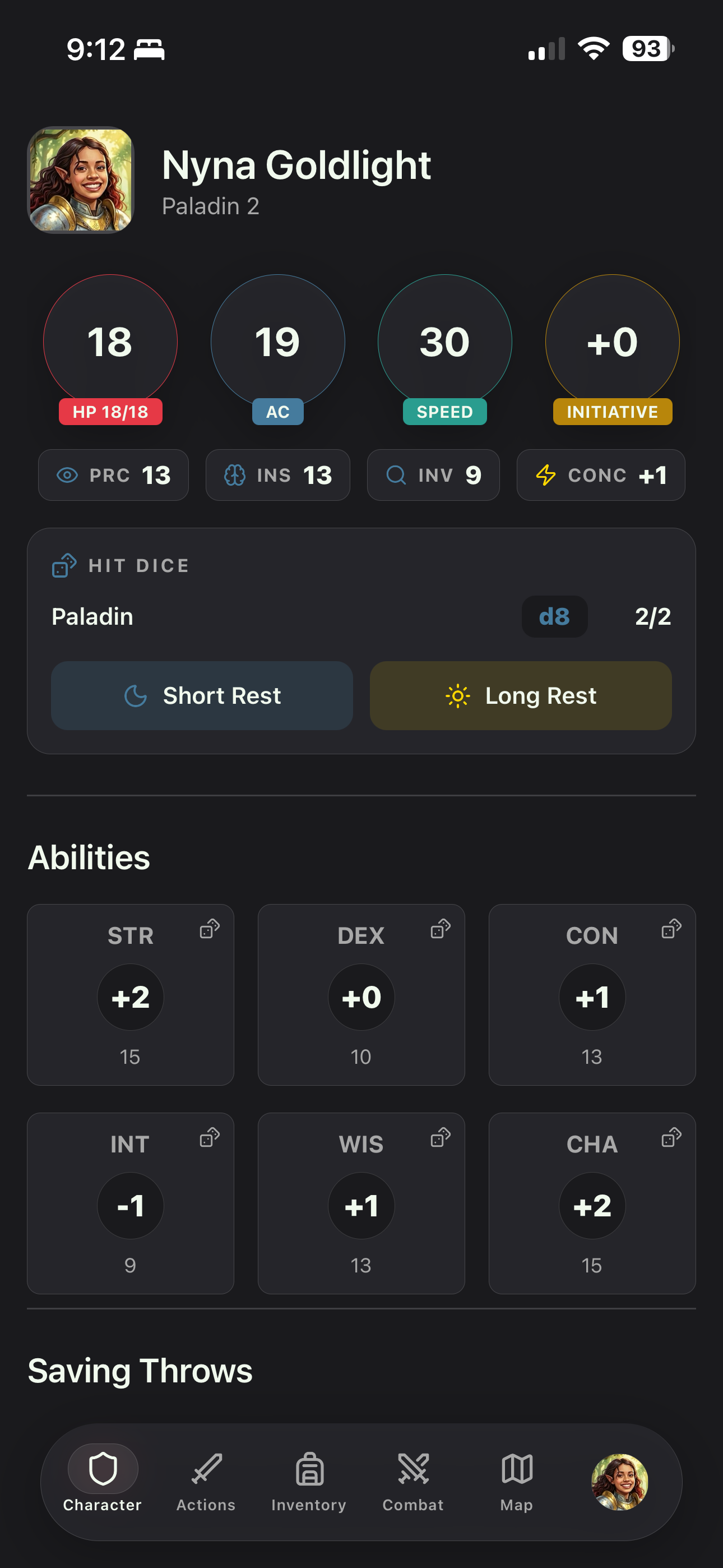
PocketScroll character sheet on mobile
PocketScroll map view on tablet

For Players

Everything you need at the table, right in your pocket.

Character Sheet

Character Sheet

Abilities, skills, hit points, and all your character details at a glance.

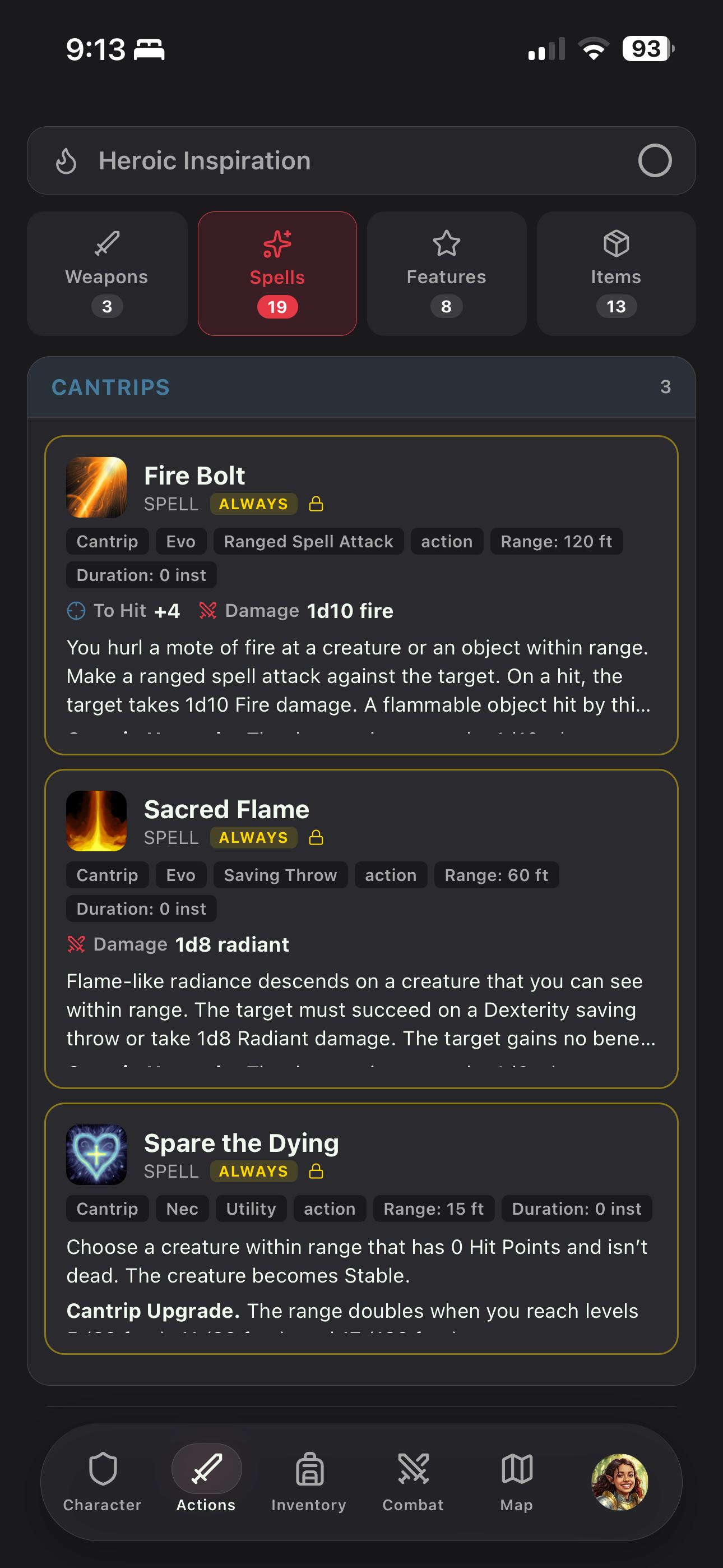
Actions & Spells

Actions & Spells

Cast spells, use abilities, and roll attacks directly from your device.

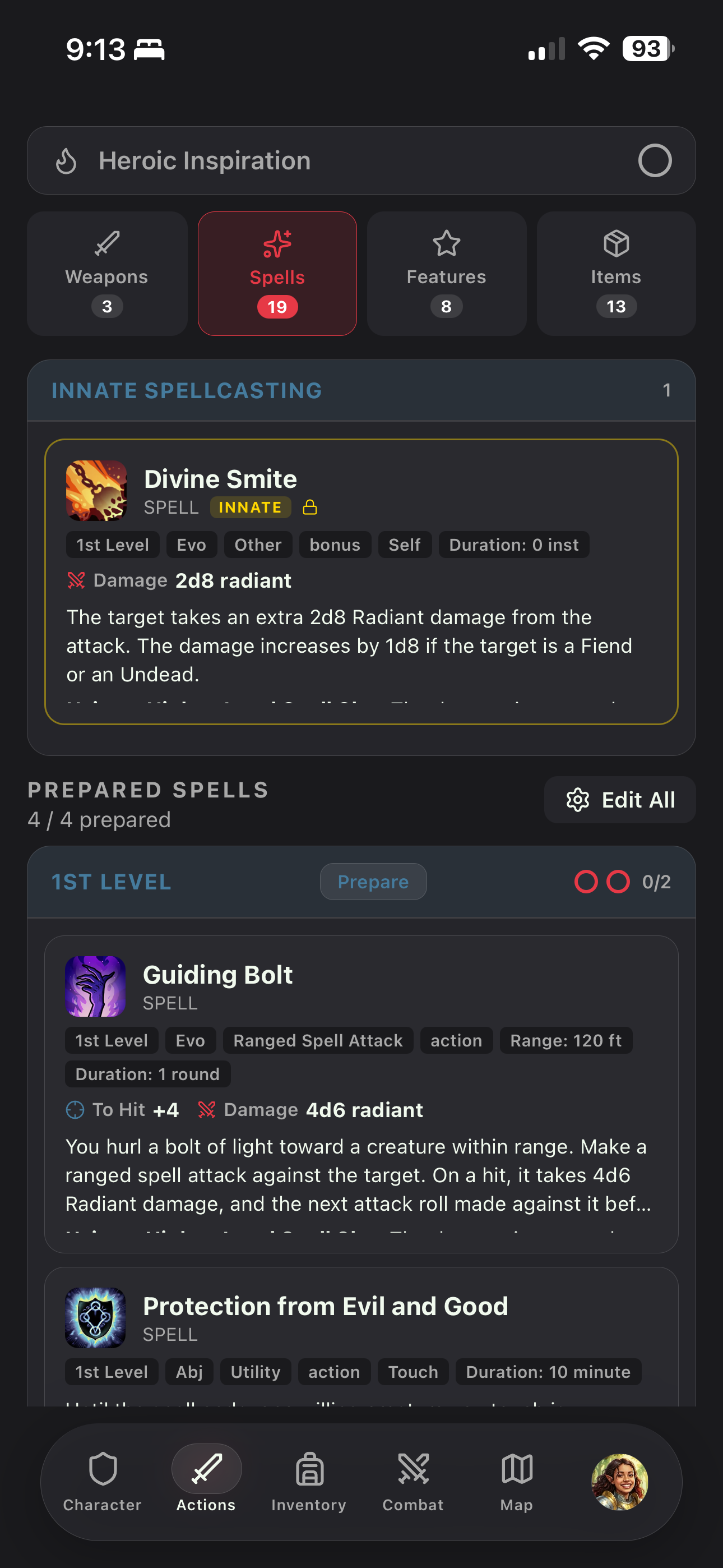
Actions & Spells

Actions & Prepare Spells

Prepare spells, online and offline.

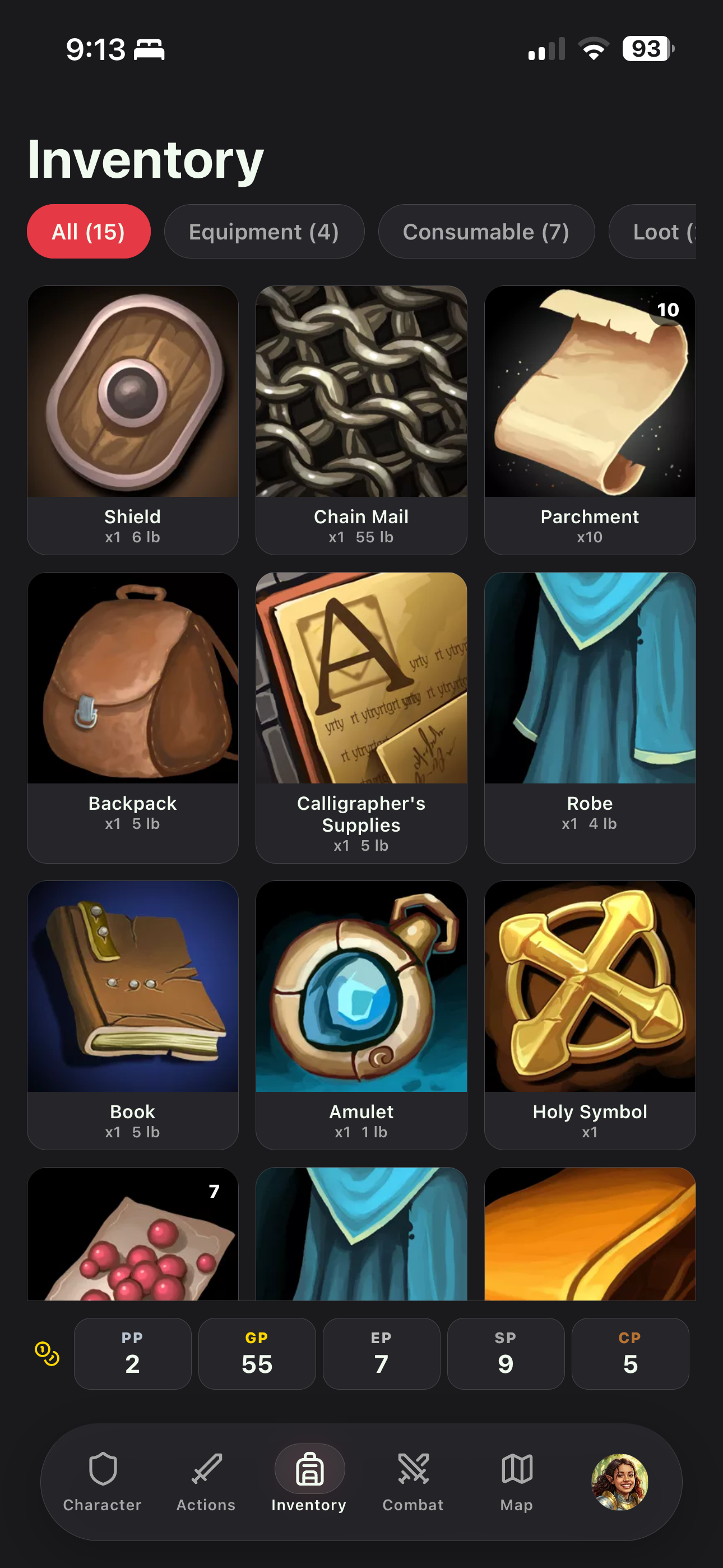
Inventory

Inventory

Browse, equip, and manage your gear without slowing down the game.

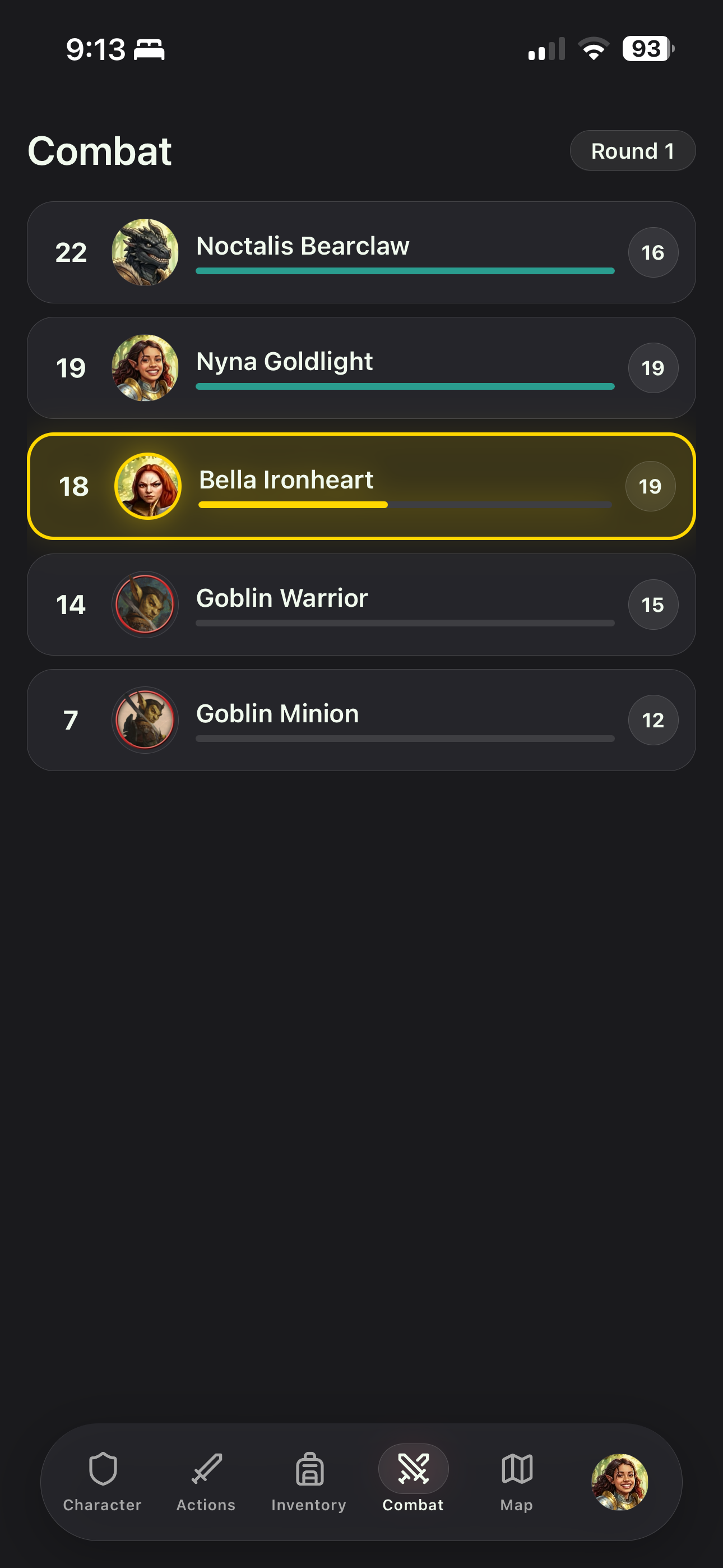
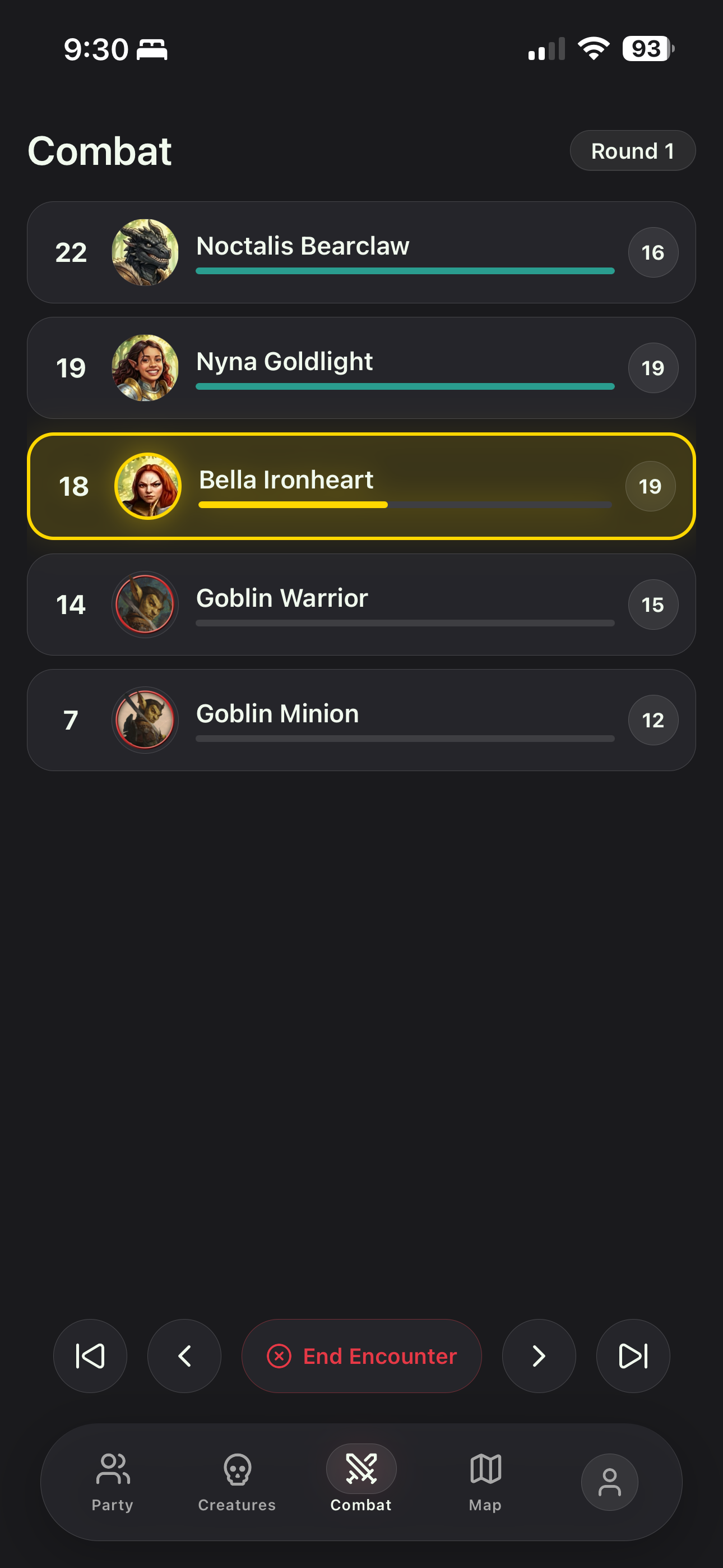
Combat Tracker

Combat Tracker

Follow initiative order, track your turn, and see enemy statuses in real time.

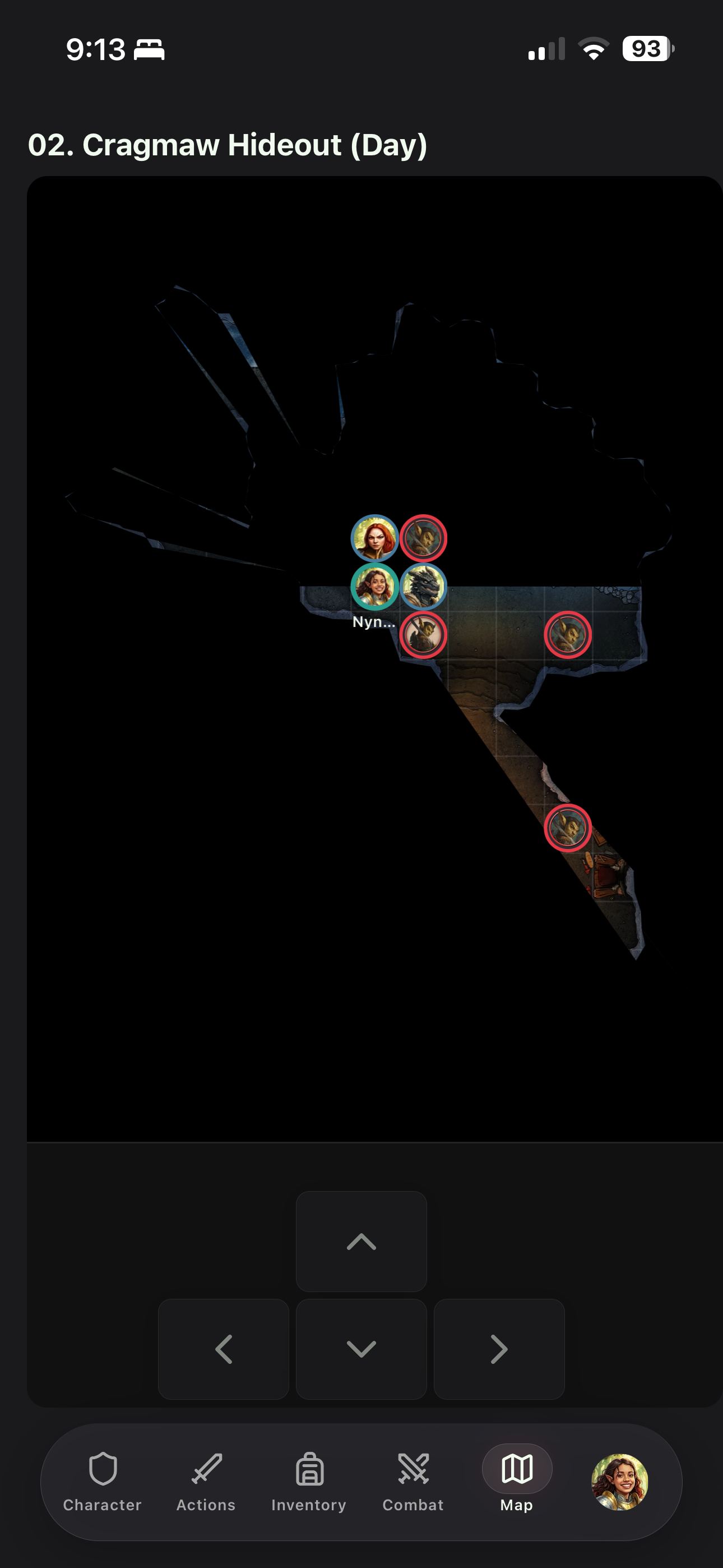
Interactive Map

Interactive Map

Move your token on the battle map with touch controls.

For Game Masters

Run your game on the go with powerful GM tools.

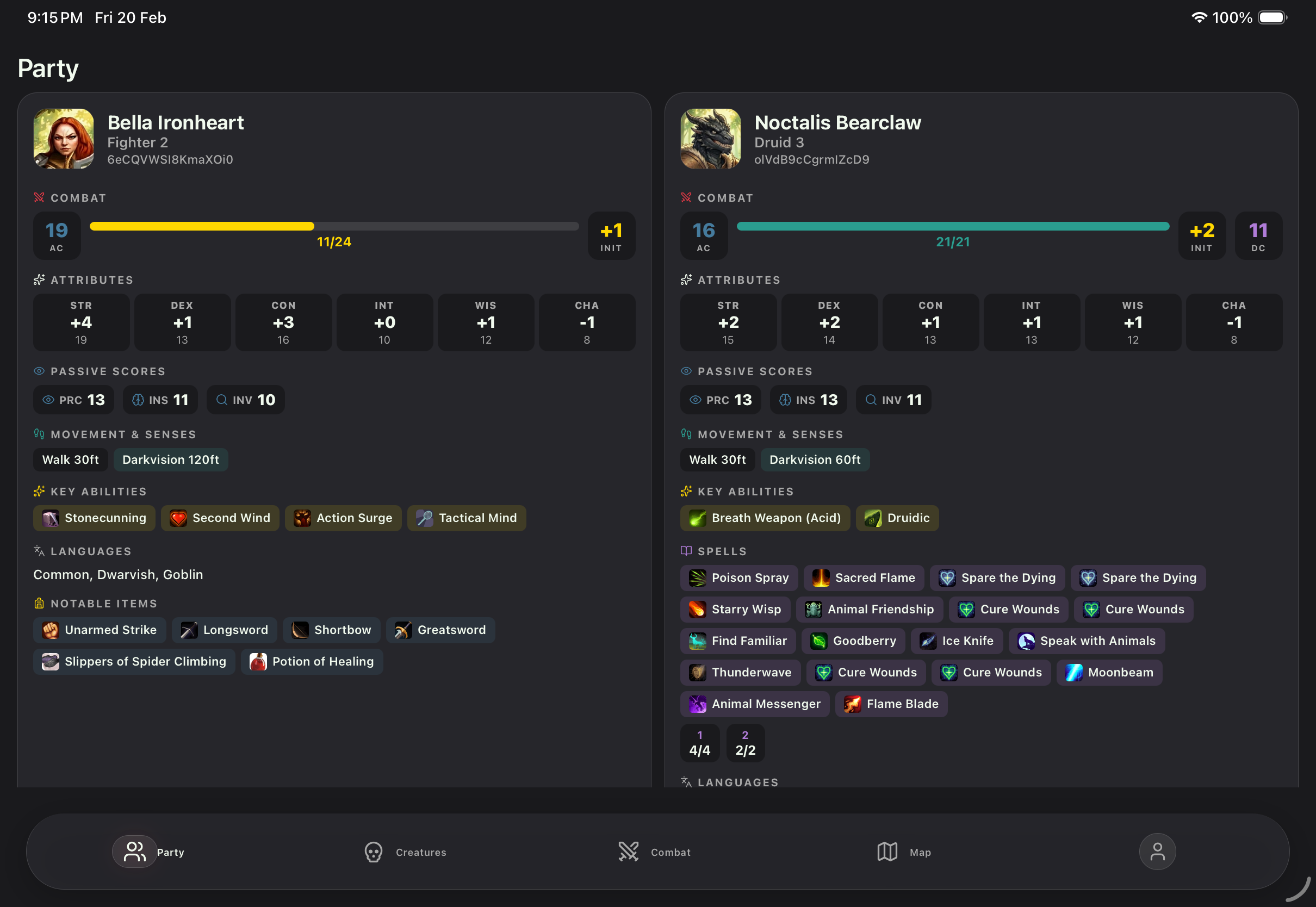
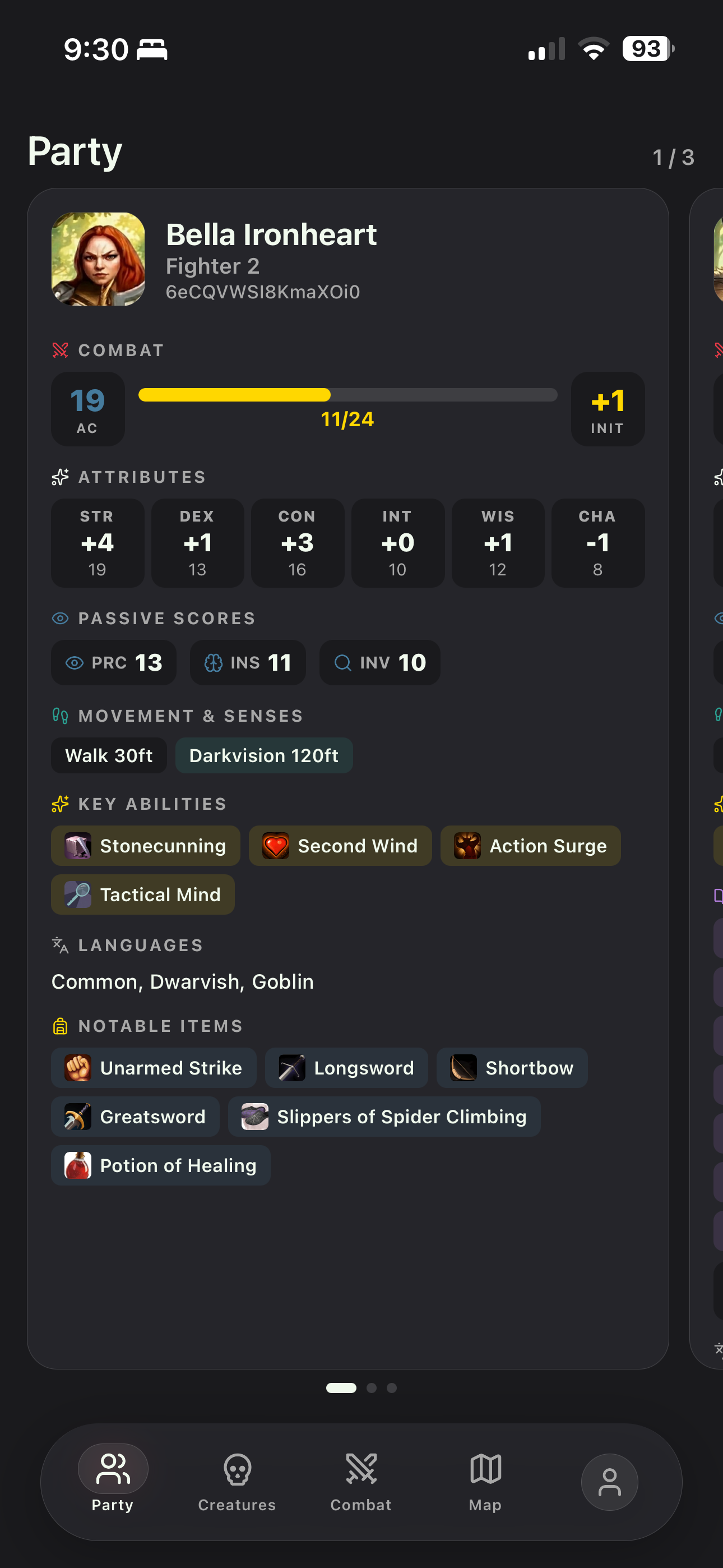
Party Dashboard

Party Dashboard

Monitor the entire party's HP, AC, and resources at a glance.

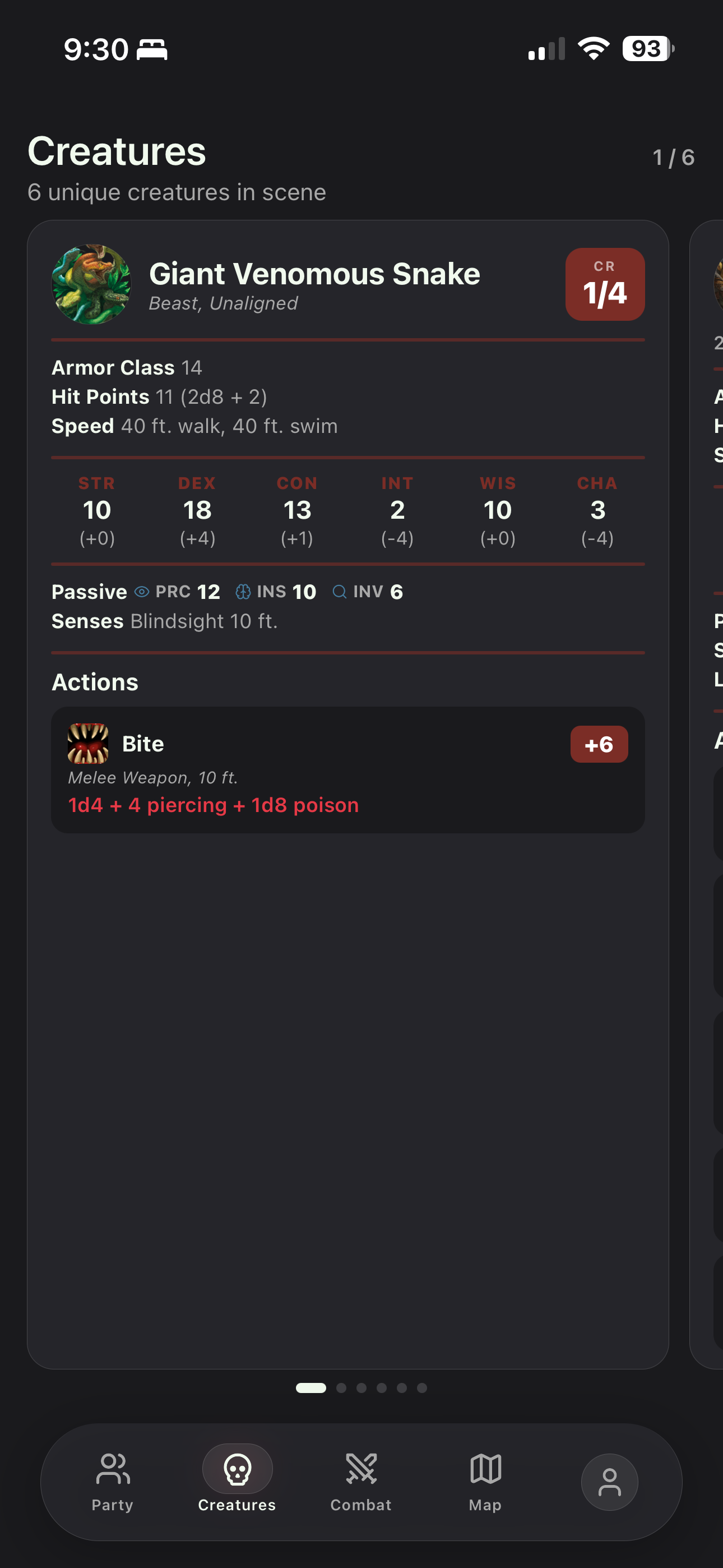
Creature Management

Creature Cards

Have a quick reference to your creatures' stats and actions.

Combat Controls

Combat Controls

Start encounters, advance rounds, manage initiative, and apply damage or healing.

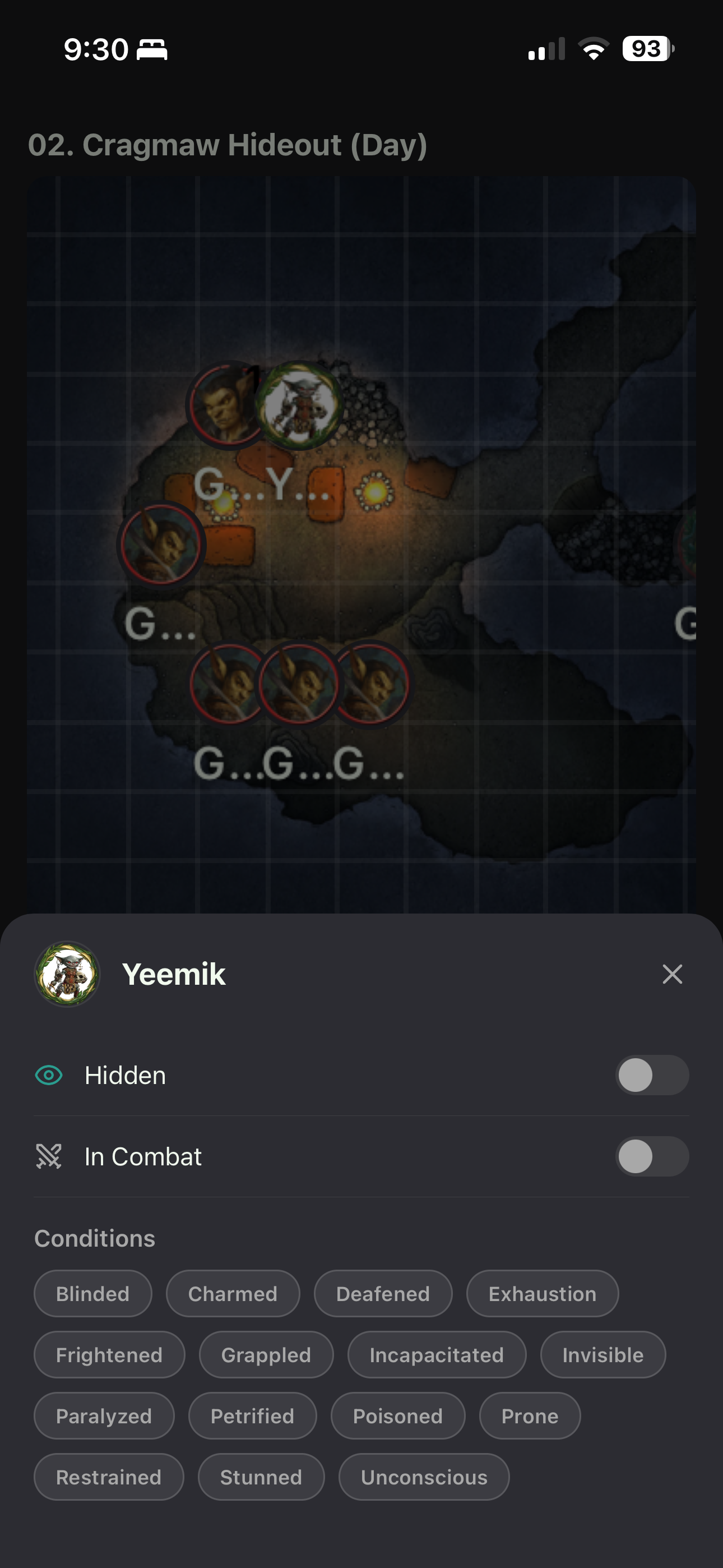
GM Map

GM Map

View and control your tokens visibility and conditions.

How It Works

Up and running in three simple steps.

1

Install the Module

Add the PocketScroll companion module to your Foundry VTT server. It takes less than a minute.

View on GitHub →
2

Connect Your Device

Open PocketScroll on your phone or tablet. GMs add their server URL and share an invite link — players tap it to get instant access for free.

3

Play

Roll dice, cast spells, move tokens, and explore maps — all from the palm of your hand.

Install the Foundry Module

Your GM needs to install a small companion module in Foundry VTT. It takes less than a minute.

Recommended

Install via Manifest URL

  1. In Foundry VTT, go to Add-on ModulesInstall Module
  2. Paste the manifest URL below into the Manifest URL field at the bottom
  3. Click Install
  4. Enable PocketScroll Foundry Companion in your world's module settings
https://flavio-s-amorim.github.io/pocketscroll_foundry_module/module.json

Manual Install

  1. Download the latest release from GitHub
  2. Extract the pocketscroll-socket folder into your Foundry modules directory
  3. Restart Foundry VTT
  4. Enable PocketScroll Foundry Companion in your world's module settings

Windows: %AppData%/FoundryVTT/Data/modules/

macOS: ~/Library/Application Support/FoundryVTT/Data/modules/

Linux: ~/.local/share/FoundryVTT/Data/modules/

Frequently Asked Questions

PocketScroll is a mobile companion app for Foundry VTT. It lets players and GMs interact with their Foundry sessions from any phone or tablet — view character sheets, roll dice, manage combat, and explore maps without needing a full browser. Works on iOS and Android.

You need a running Foundry VTT server with the PocketScroll companion module installed. GMs need a PocketScroll subscription; players just need an invite link from their GM. The app runs on both iOS and Android devices.

From the app, generate an invite link and share it with your players. When a player taps the link, they get free access to your servers — no subscription needed on their end. That's all it takes to get your whole table connected.

Yes! Every new account gets a 3-day free trial with full access — no credit card required. Just sign in with Patreon and start playing.

PocketScroll is tested on the latest Foundry VTT releases. The companion module is regularly updated to maintain compatibility as new versions come out.

Your GM installs the PocketScroll companion module by pasting the manifest URL into Foundry's module installer, or by downloading it manually from GitHub. See the install guide above for step-by-step instructions. Once installed and enabled in a world, all players can connect with the app.

Absolutely. PocketScroll works on iPhone, iPad, and Android devices. The interface adapts to larger screens, giving you more room for maps and character management.

PocketScroll

Ready to bring Foundry to your pocket?

Start your free 3-day trial and play your next session from anywhere.

Start Free Trial on Patreon